

One arrow per tap
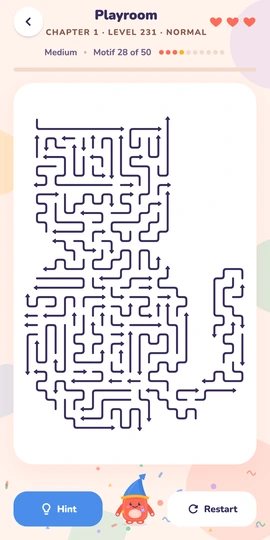
An arrow only flies off if nothing lies in its way. A blocked one costs a heart; when all three are gone, the level starts over.
Deutsch | English

Tap the arrows away, but only those with nothing in their way. Chapter 1, “Playroom”, has 500 levels and is free.
For Android 7.0 or newer. Not in Google Play yet: the closed test starts soon.
Every chapter stands on its own. The next one, “Forest”, is in the works.
An arrow only flies off if nothing lies in its way. A blocked one costs a heart; when all three are gone, the level starts over.
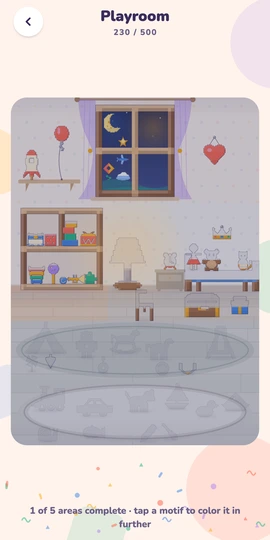
Every solved level colours in a bit more of the chapter picture: 50 motifs with 10 variants each, together one playroom.
Easy, Normal, Hard and Very hard, each with its own level progress, best times and chapter picture.
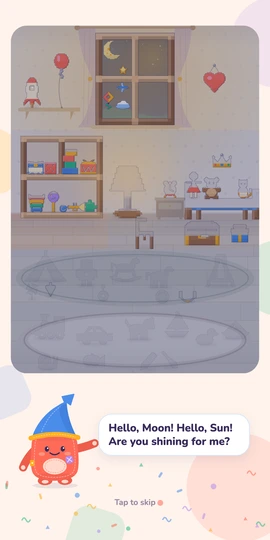
The character points at an arrow when you ask for a hint, cheers with you and comforts you after a mistake.
Tap a free arrow and it flies off. A hint shows you an arrow that is free.
Every solved level colours a motif a bit further. Finished areas show a short scene with deru.
deru wakes up at night in the grey room and finds friends. At the end the sun rises.
Runs without internet. The Google Play version has no network permission.
No ad library, no sign-in, no statistics. Your progress stays on your device.
The build script of the store version aborts if the package requests any permission.
Every level is solved when it is generated. Tests check 1,000 levels per difficulty for solvability and run time.
They run before every release. No release goes out while a test is red.
Under Settings → Backup you export and import it, only when you tap.
Built with Claude Code. The game idea, the decisions and the sign-off are mine.
Follows your phone’s language, both versions complete.
Before deru appears in Google Play, a closed test runs. You already help by installing the app and keeping it installed for 14 days.
Keep the app installed for 14 days. That is all Google counts.
Just installing it is perfectly fine. If you notice something, I’m glad to hear from you.
No account, no ads, no statistics. The test costs nothing and passes nothing about you on.
Sign-up opens soon.
Before you sign in, Google shows “You do not have permission to access this content”. That is normal.
The link arrives by email in the group as soon as the test starts, and then appears here.
After joining the group, open the link, tap “Become a tester”, then install from Google Play.
Why 14 days and 12 testers? Google requires it before a new app can go live in the store: at least 12 people who have had it installed for 14 days.
500 levels, four difficulties, a story with a finale.
A closed test in Google Play, starting soon.
After that, deru is in the store for everyone.
Separate chapters that do not build on each other. “Chapter 2: Forest” is announced.
Android 7.0 or newer.
No. The test costs nothing, and chapter 1 stays free.
Nothing: deru has no network permission, no account and no statistics. Your progress stays on your phone. If you switch phones, save it as a file first under Settings → Backup.
By email or in the app under Settings → Feedback & help. Your version and device are already in the subject; nothing else is sent.
Behind obin.space it is just me. I read every message myself, with no ticket system and no bot.
Robin