


obin.space

Deutsch | English

obin DeskPRO

In progress

Letters, images and PDFs in one window.

obin Desk Pro joins all the tools from obin Desk in one workspace. You write a letter, add a photo and save everything as a PDF, without uploading and downloading files back and forth. Everything runs in your browser and stays on your device.

Planned for spring 2027 Use the free tools
  • €19 lifetime, no subscription
  • 3 devices
  • 7-day free trial
  • Everything stays on your device

Price and scope are plans and may change before launch.

Letters, applications, résumésEdit, batch, your own styleMerge, fill in, sign PDFs

Three areas

What you can do with Pro

Writing, Images and Documents share one window. You switch the area at the top, the tools sit on the right.

9:41
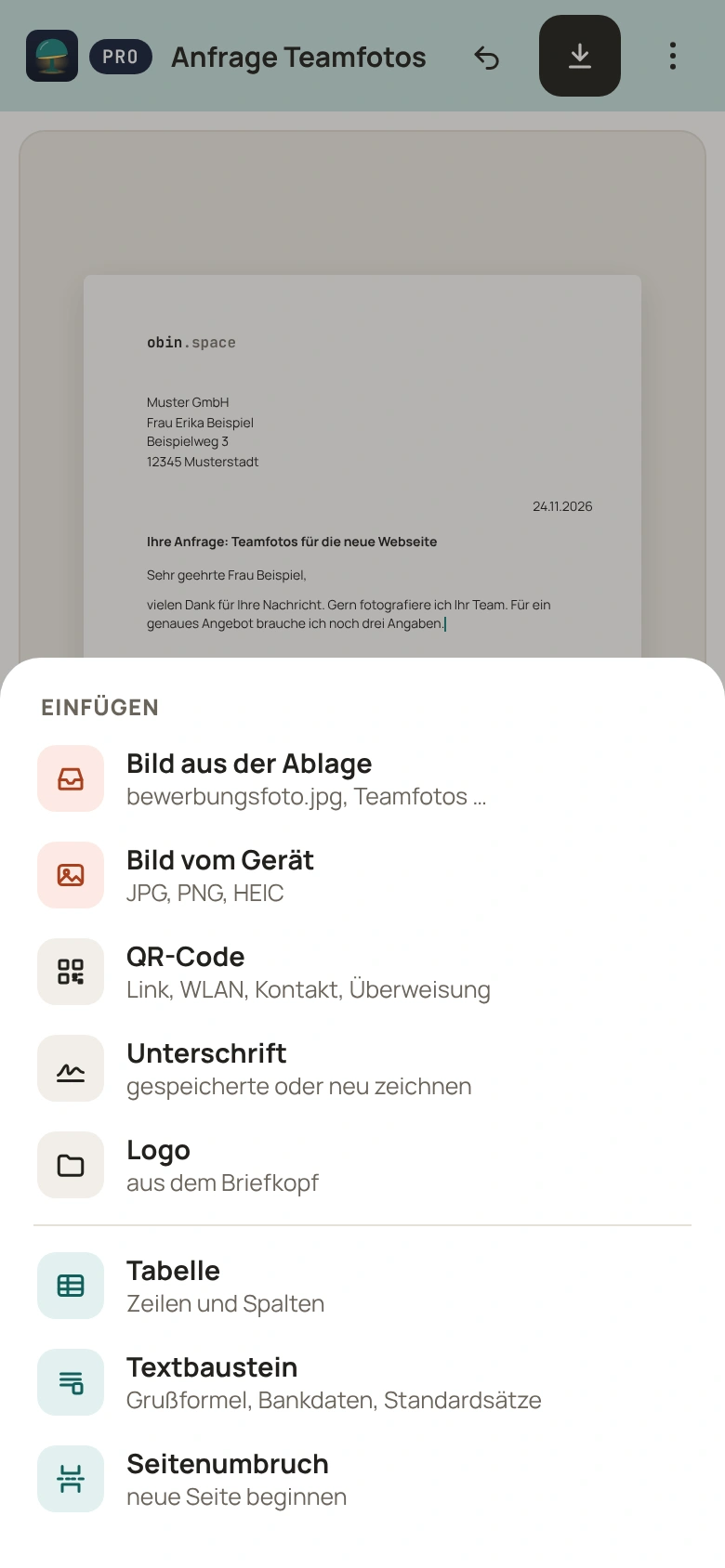
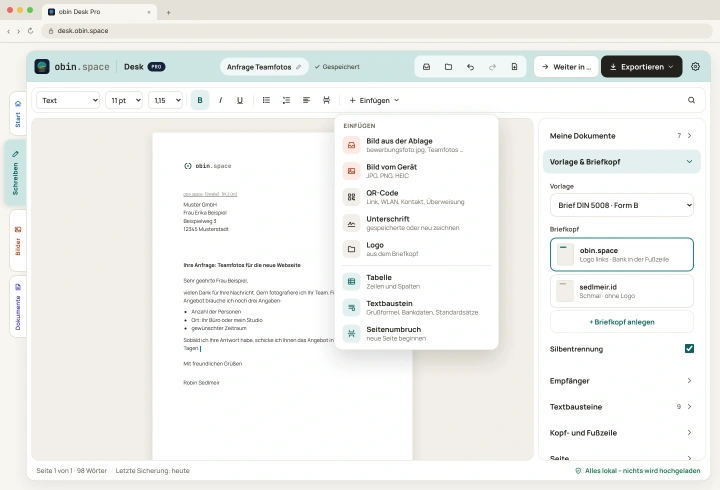
The “Writing” window in obin Desk Pro: the “Insert” menu with image, QR code, signature, logo, table and text blocks

Writing

Letters, applications and résumés.

Templates that follow DIN 5008. You type, Pro takes care of margins, address field and page numbers.

  • Templates for letters (form A and B), cover letters and résumés
  • Your own letterheads, text blocks and paragraph styles
  • Insert an image, QR code, signature, logo or table
  • Envelopes in DL, C5 and C6, plus address labels
  • Save as PDF or Word, print or share
9:41
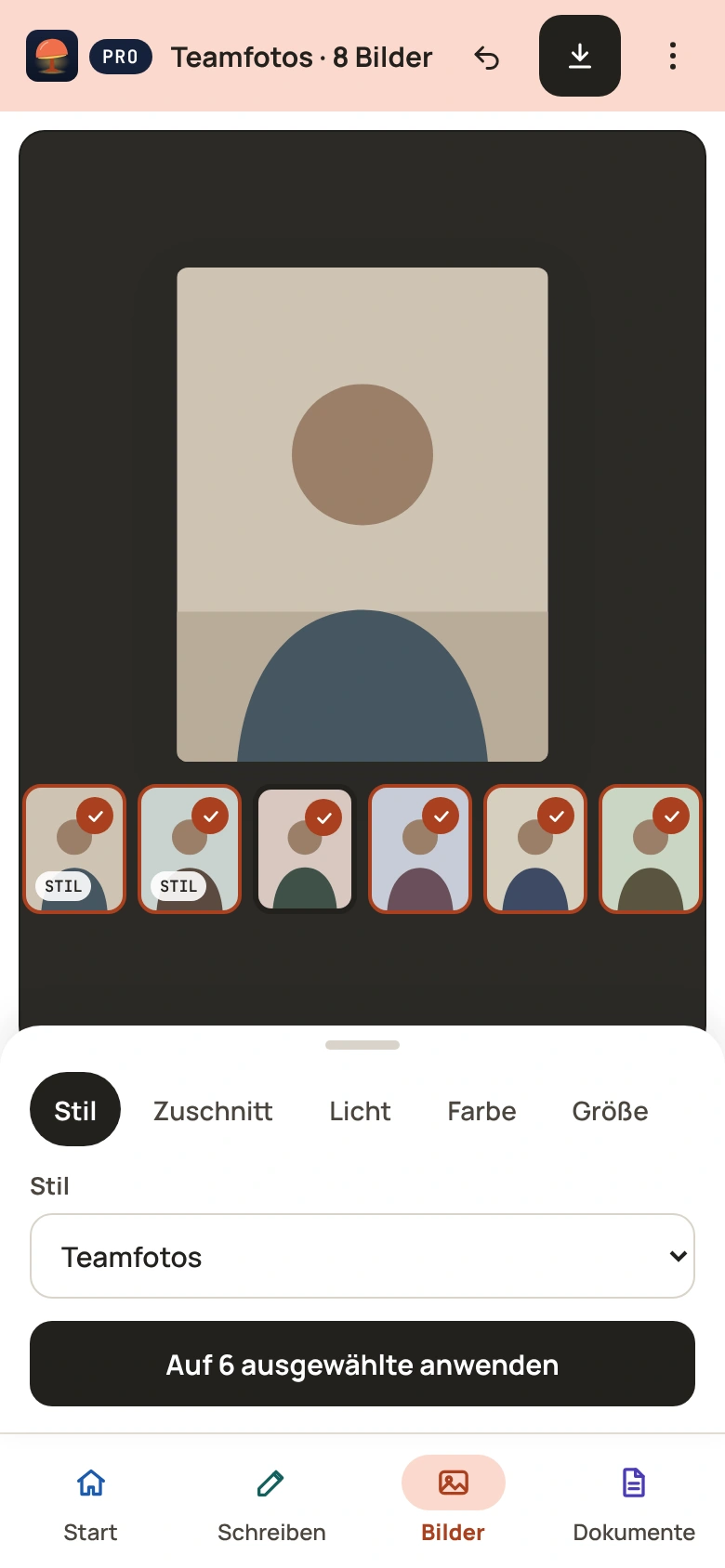
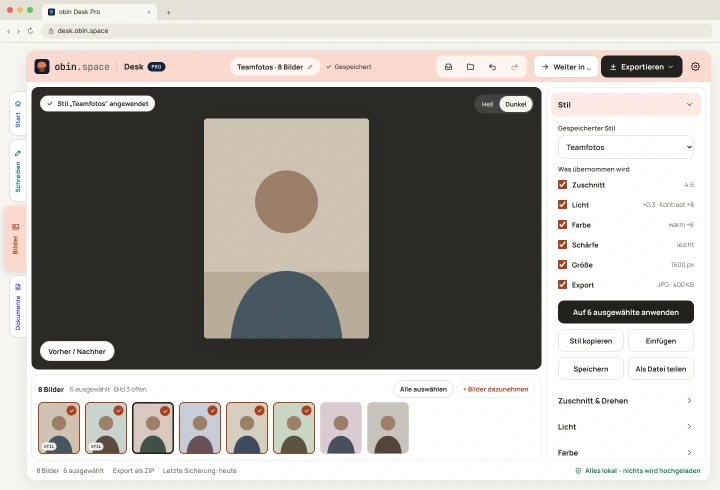
The “Images” window in obin Desk Pro: a batch of eight images, the saved style “Team photos” on the right

Images

Edit photos, one or a hundred.

The most important controls of a photo editor, with no account and no upload. Plus a batch that works through many images in turn.

  • Light, colour, sharpness, crop and size, with histogram and before/after
  • Auto-correction and ready-made presets
  • Batch with a filmstrip: carry on photo by photo
  • Save your own style and apply it to other photos
  • Share styles as a file, export everything as a ZIP
9:41
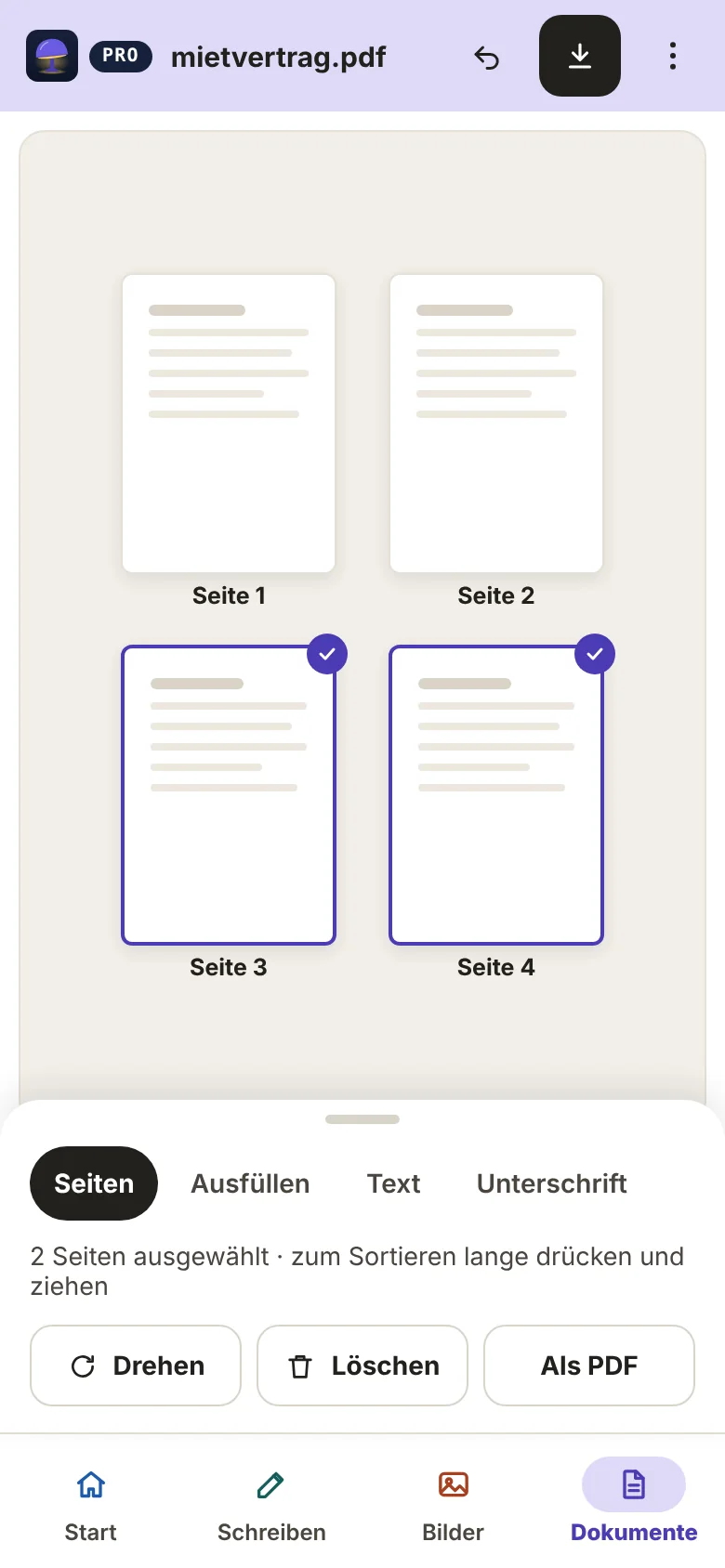
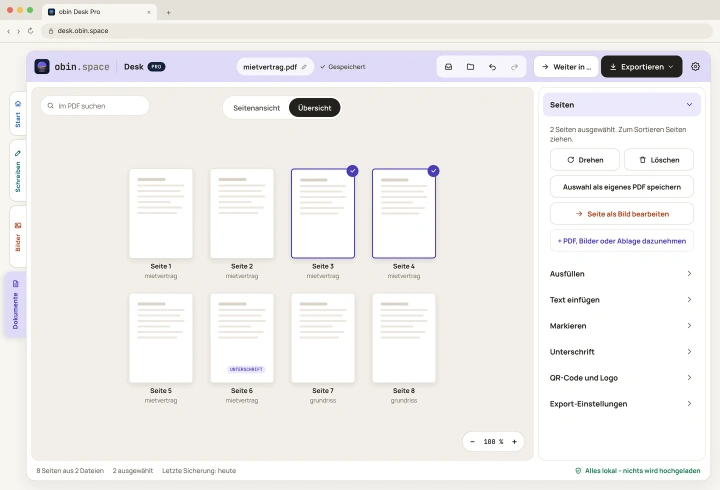
The “Documents” window in obin Desk Pro showing the page overview of a PDF

Documents

Arrange, fill in and sign PDFs.

Everything you usually need to do with a PDF, in one place.

  • Sort, rotate and delete pages, and merge files
  • Fill in forms, add text and highlight
  • Place a signature, QR code and logo
  • Search inside the PDF and edit pages as an image
  • Remove metadata when saving, with a password if you like

Connected

One result, not five downloads.

In the free tools you download a file and upload it again in the next tool. In Pro it simply stays where it is.

  • “Continue in …”: photo into the letter, letter into the PDF, with one click
  • Shared tray: everything you need right now, within reach in every area
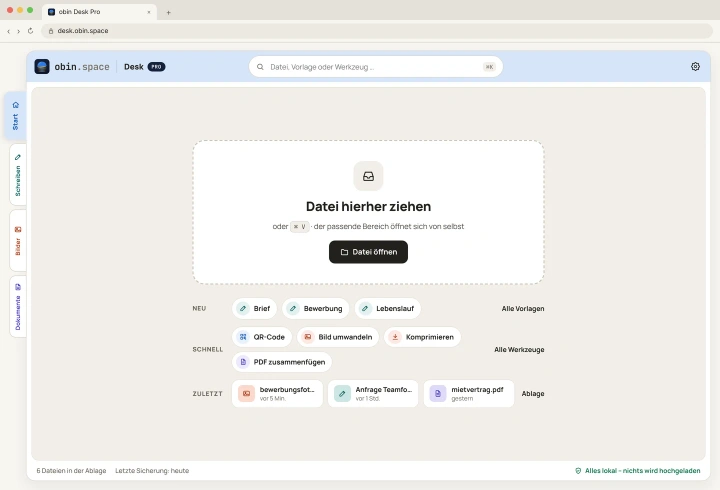
  • Quick actions on the start page: QR code, convert an image or merge PDFs in one step
  • Drop a file on the start page and the matching area opens
The home screen of obin Desk Pro with the shelf, quick actions and recently used files

Everywhere

What works the same in every area

  • Offline as an app

    Install it once and Pro runs without internet.

  • Command search ⌘K

    Every function, template and file from one search box.

  • Version history

    Look at earlier versions and bring them back.

  • Print and share

    In every area, with the same controls.

  • Backup as a file

    Your templates, styles and letterheads in one file.

  • Computer, tablet, phone

    Built for all three, with a keyboard on the iPad too.

Free and Pro

What stays free and what Pro adds

Comparison of obin Desk and obin Desk Pro
DeskDesk PRO
All tools, one by one Yes Yes
No account, no upload Yes Yes
Connected tools, “Continue in …” No Yes
Letters, applications, résumés No Yes
Photo editing with batch and styles No Yes
Fill in and sign PDFs No Yes
Your own templates, letterheads, text blocks No Yes
Version history and backup No Yes
Pricefree€19 lifetime

Your files stay with you.

Pro does all the work in your browser. Letters, photos and PDFs are never uploaded, there is no account and no tracking. Only the licence key goes online, when it is checked with Polar.

Price

Pay once, use it for good.

obin DeskPRO

€19Lifetime

Pay once, use it for good. No subscription.

  • Writing, Images and Documents in one window
  • Everything that is added to Desk later
  • 3 devices with one key
  • 7-day free trial
Planned for spring 2027

Planned: payment through Polar, with the licence key checked right in your browser. Price and scope are plans and may change before launch.

Frequently asked questions

What does “Lifetime” mean?

You pay €19 once and use Pro with no expiry date and no subscription. Everything that is added to obin Desk later is included, new versions too. Other products from obin.space are not part of it.

Do I need an account?

No. After buying you get a licence key. You enter it once, and that is it.

On how many devices can I use Pro?

On three. In the settings you can see which devices are signed in and sign one out.

Does Pro work without internet?

Yes. Install Pro as an app and it runs offline too.

Do the free tools stay free?

Yes. Every tool in obin Desk stays free to use on its own. Pro connects them.

When does Pro arrive?

It is planned for spring 2027. A few weeks later is better than a half-finished tool.

Until then: all tools for free.

Pro is planned for spring 2027. You can use the individual tools today, with no sign-up.

Go to obin Desk

Popular

↑↓ select ↵ open esc close Searches only in your browser